
Settings
Understand project directory, startup and update options.
Settings controls defaults for your SpaceYard workspace. It does not replace Laravel's .env file.
General settings
Open Settings → General to configure the preferred projects directory and available startup preferences.
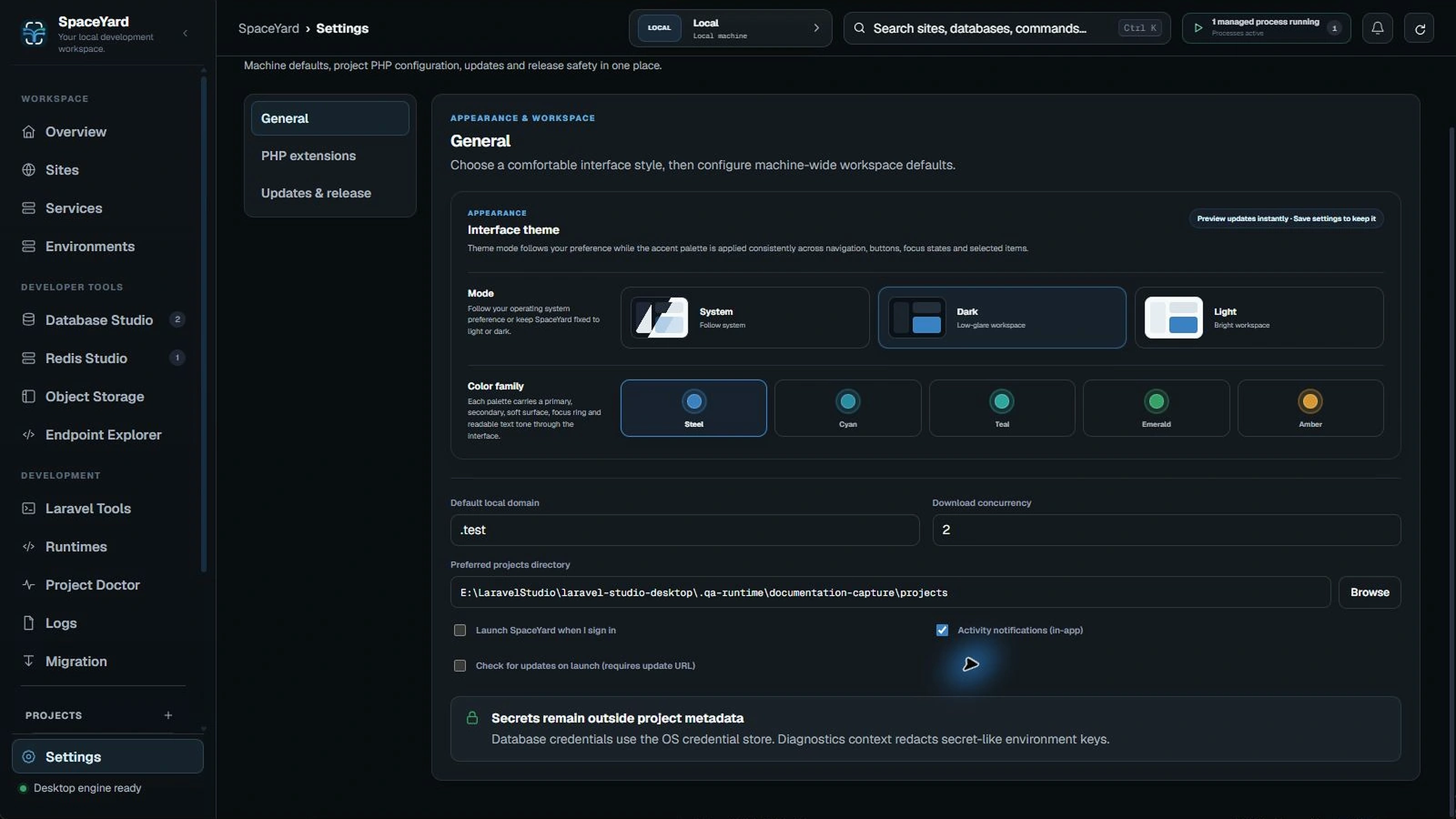
What the checkboxes mean
- Launch SpaceYard when I sign in: requests Windows startup registration. In a development build, this can point to the dev executable rather than a published installer.
- Activity notifications: controls SpaceYard's internal activity notification history; it is not necessarily a Windows desktop toast.
- Check for updates on launch: runs a startup check when an update manifest URL has been configured.
Saving settings
Choose Save after editing. Reopen the General tab to confirm the values stayed selected. Settings in other tabs should not reset hidden General settings.
Choosing a project directory
Use Browse rather than manually typing an unfamiliar Windows path. SpaceYard may store a Windows extended-length path internally; the display should show a normal readable path.
Tip: Changing the default projects directory does not automatically move existing Laravel projects. Use Relocate only after physically moving a project's folder.