
Project Doctor & logs
Understand diagnostics and application logs.
When a Laravel project behaves unexpectedly, start with Project Doctor and Logs instead of making many changes at once.
Run Project Doctor
- Select the project you want to inspect.
- Open Project Doctor.
- Run or refresh its checks.
- Read failures and warnings separately from successful checks.
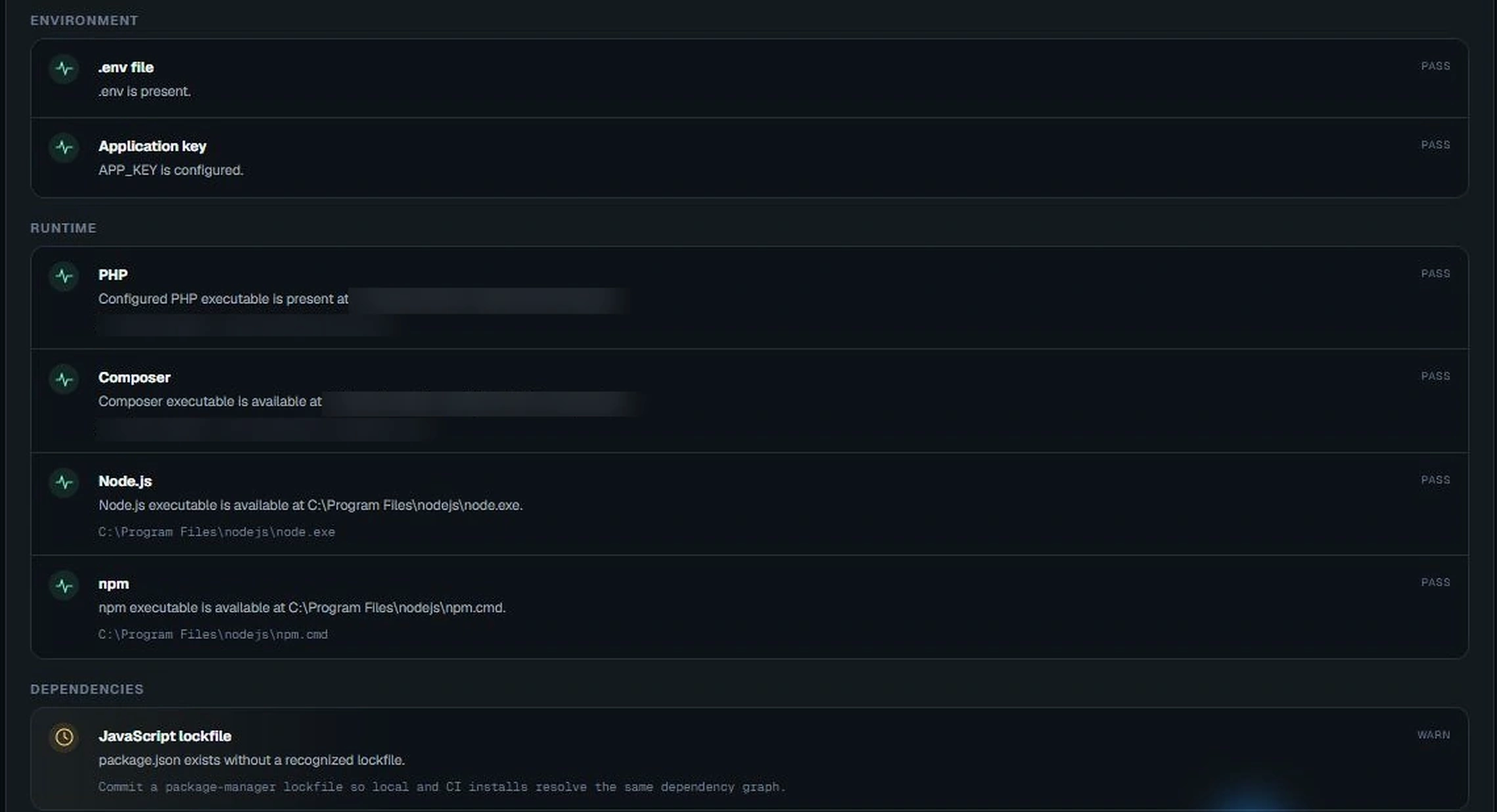
A failed check is a clue about what needs attention. A passed check does not mean every part of the Laravel application has been tested.
Read application logs
Open Logs to view Laravel log entries. Look for the first meaningful exception or warning near the time the problem occurred. Keep the surrounding lines; the last stack-trace line often isn't the root cause.
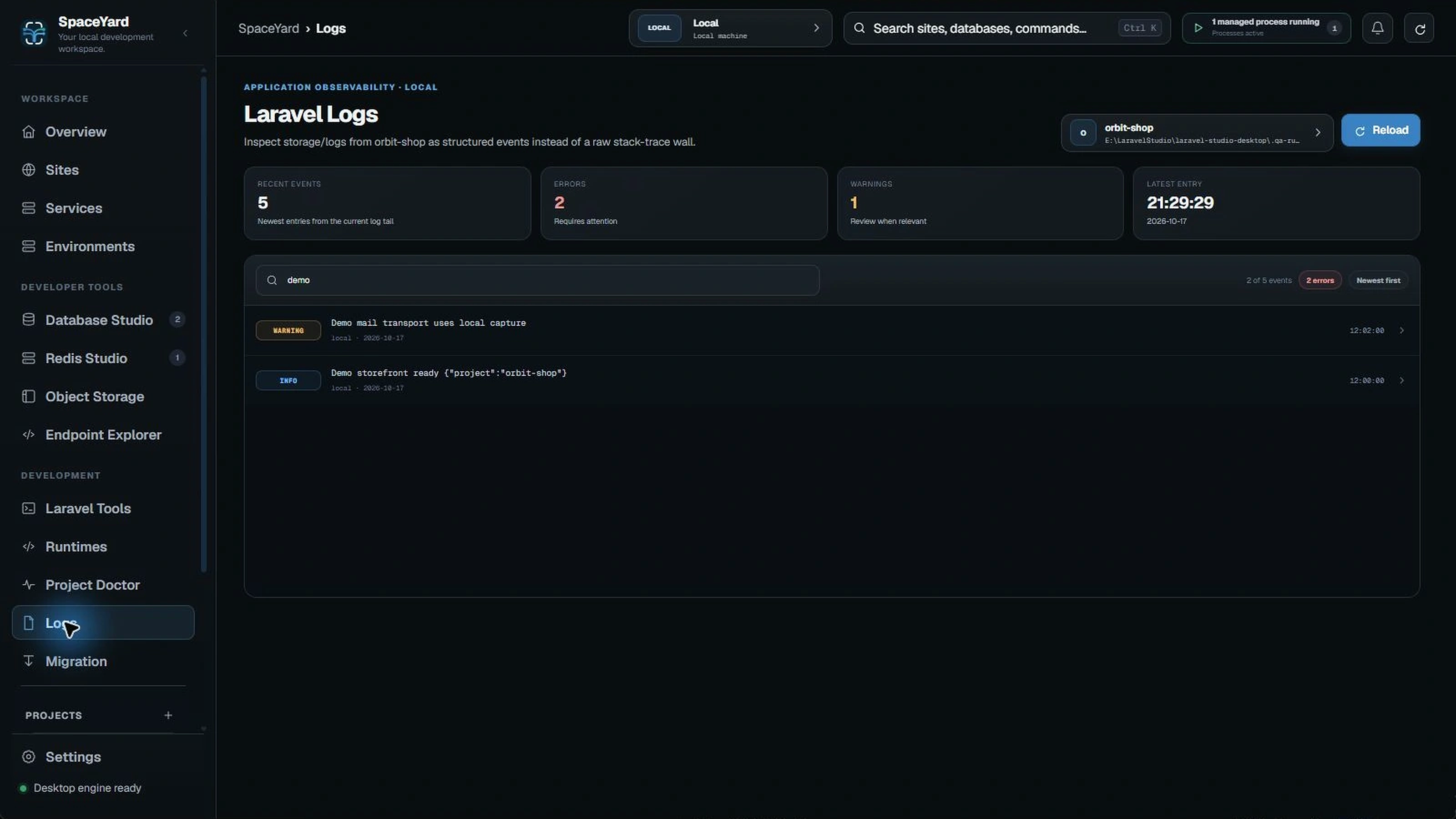
Troubleshoot carefully
- Record the failing action and approximate time.
- Confirm the active project and runtime.
- Read the relevant log.
- Make one change at a time, then retry.
Privacy: Logs can contain file paths, request data or secrets. Remove these details before sharing diagnostics publicly.
For failures involving .test addresses, see Local domains & HTTPS and Troubleshooting.