
Git
View changes and manage your local Git workflow.
SpaceYard provides Git tools for inspecting and managing source changes in a project. Git is also useful outside SpaceYard, so your commits are not tied to the app.
Prepare a repository
When creating a project, you can choose Initialize Git. For an existing project, use its Git actions if the folder already contains a repository or initialize one when offered.
Review changes
Open the project's Git area and review modified, added and deleted files. Select the changes you intend to include in a commit.
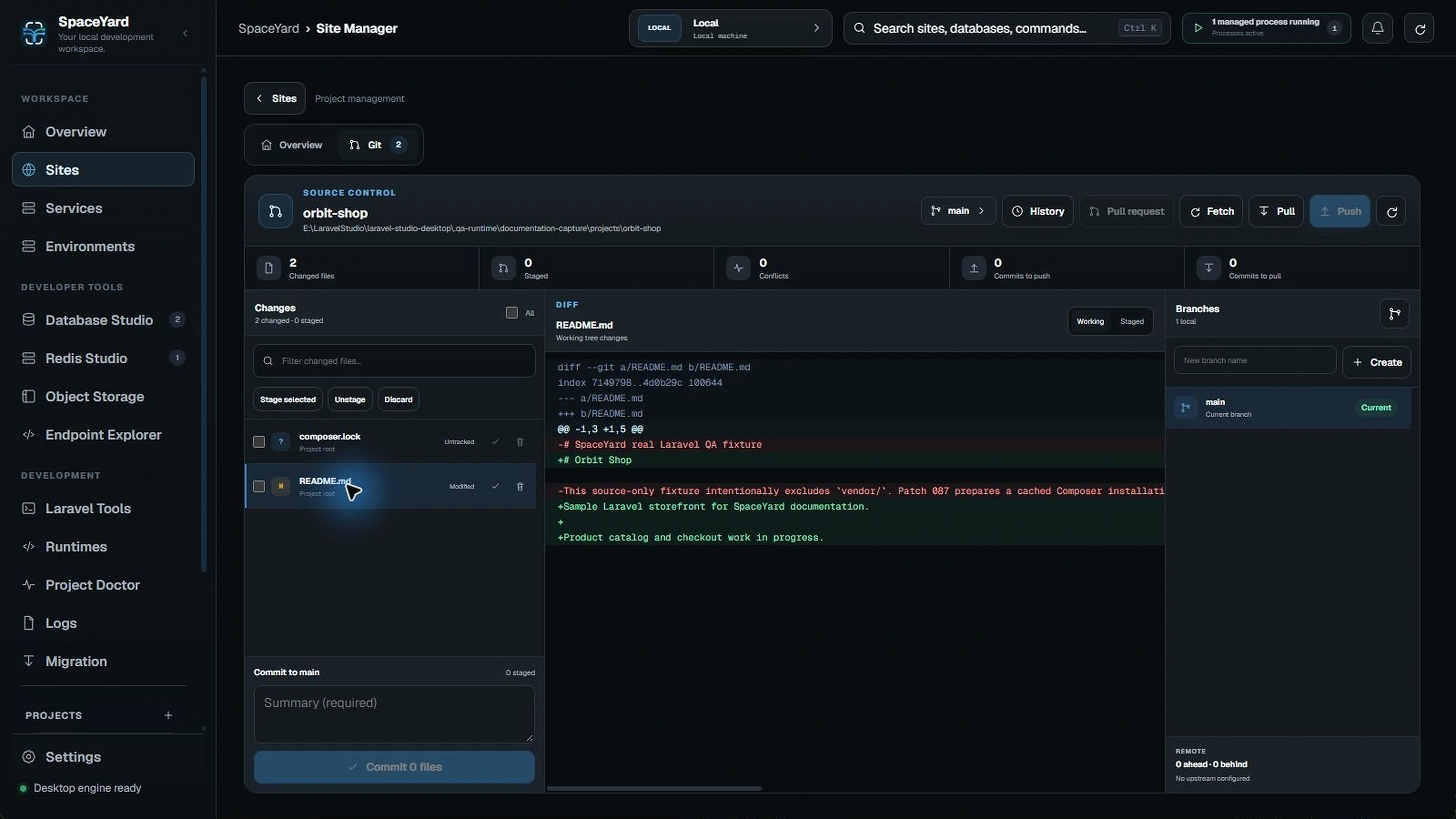
Make a clear commit
- Review the diff before staging.
- Stage only the related files.
- Write a short commit message explaining the change.
- Commit after checking the staged file list.
Safety: Do not commit
.envfiles, tokens, passwords, private SSH keys or database backups. Check the repository's.gitignorebefore your first commit.
Branches and history
Use the available branch and history controls when you need to review earlier work. If you're unfamiliar with a Git command, make a backup or commit your current work before attempting a reset, checkout or cleanup.