
Laravel Tools
Artisan, queues, scheduler, Mail and Reverb.
Laravel Tools brings common Laravel commands and development operations into a graphical workspace.
Artisan commands
Open Laravel Tools → Commands to discover available Artisan commands. You can search the list and use shortcuts such as About, Routes, Migrations and Clear caches.
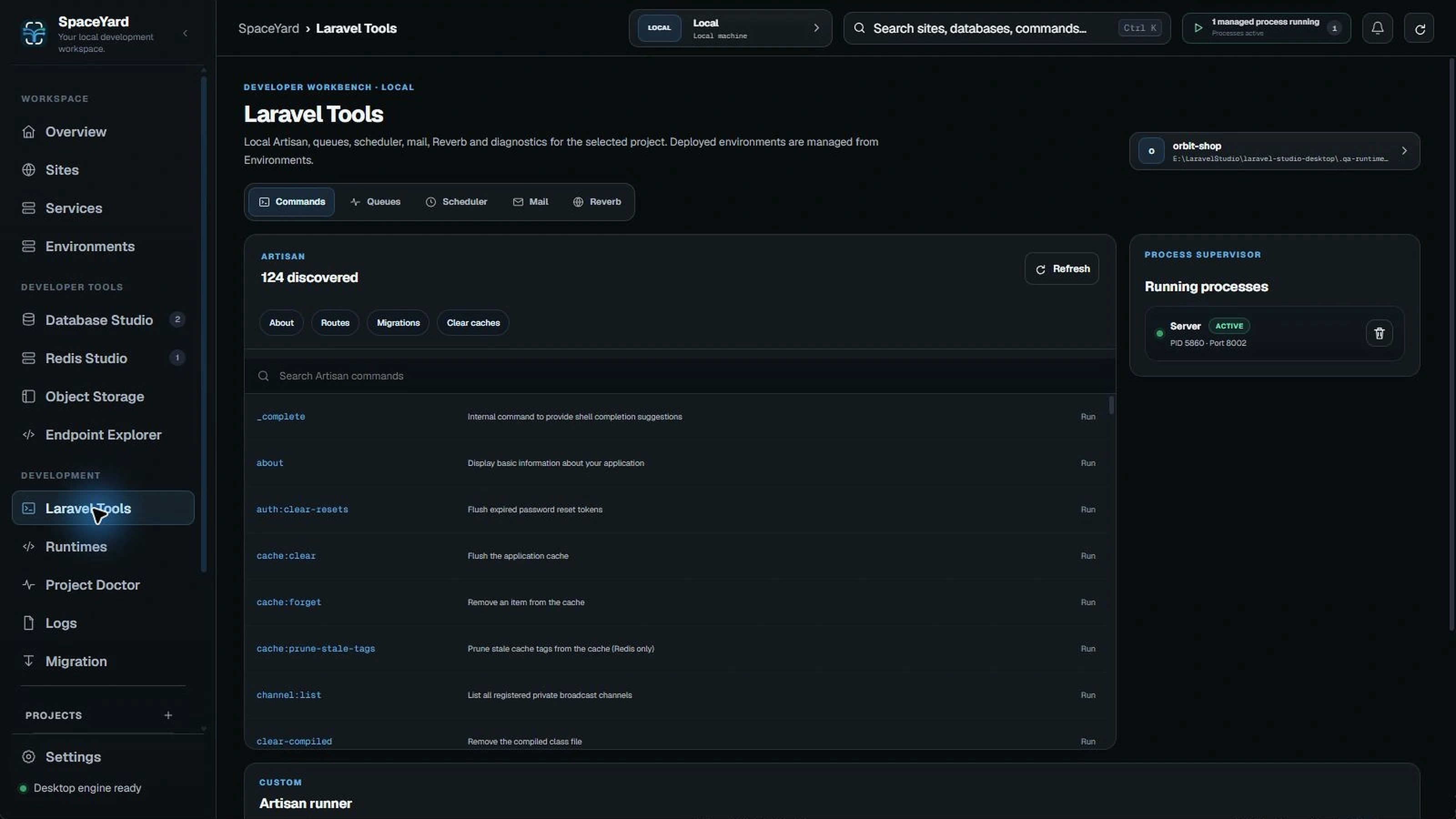
A command can read, change or clear application state. For example, cache clearing is usually safe locally, but database migrations should be reviewed before execution.
Running processes
The Commands view also shows SpaceYard-managed processes, with their type, PID and port when available. Use the stop control only for a process you recognize.
Queues and scheduler
The Queues tab includes controls for managed workers and a view of queue status. The Scheduler tab provides schedule inspection and controls where supported.
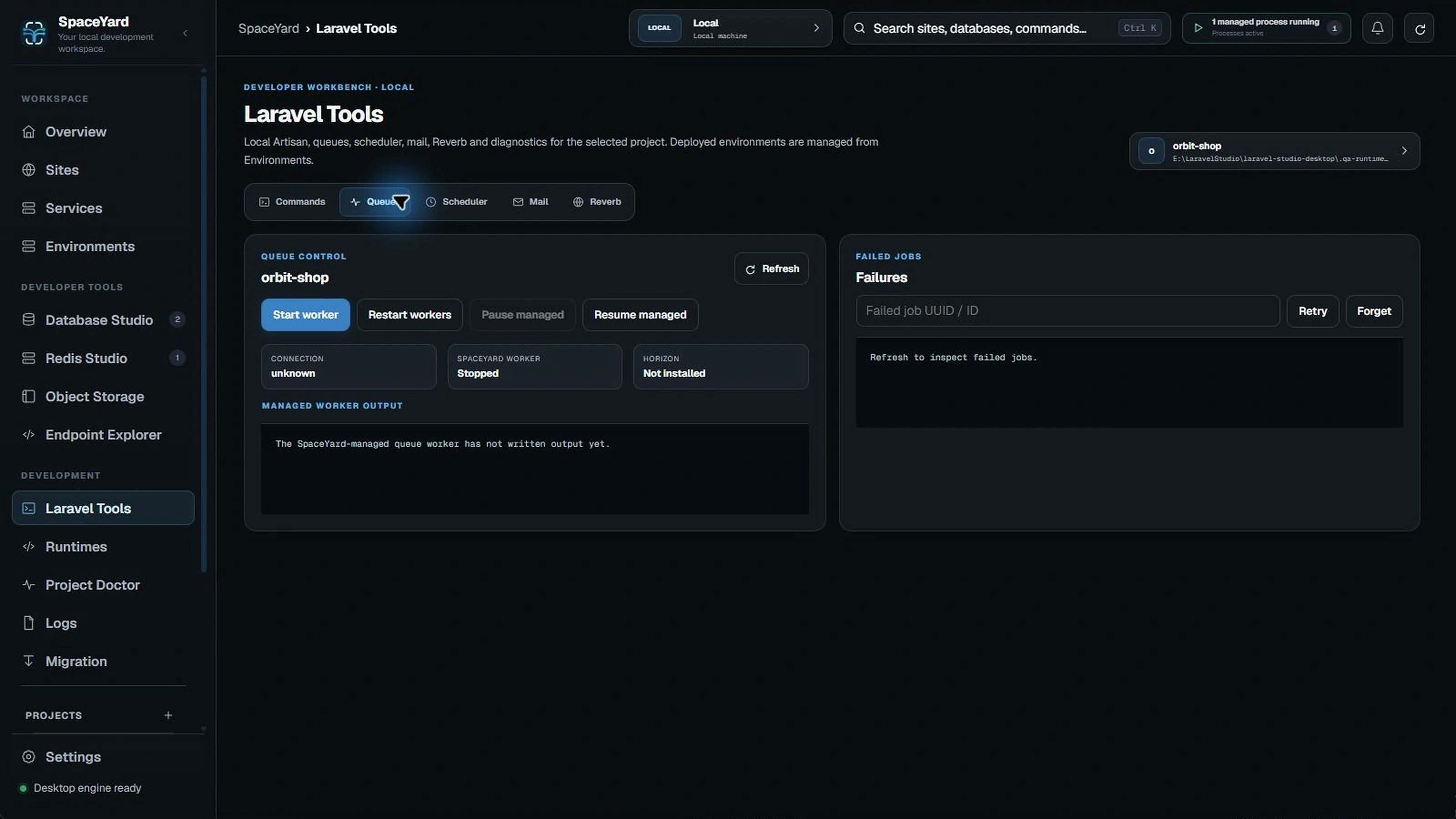
Tip: If a worker is already running, check its state before starting another one. Running duplicate workers may be intentional, but it can also cause confusion while debugging.
Mail and Reverb
Mail can inspect messages captured by a local Mailpit service when one is configured. Reverb provides inspection and available lifecycle actions for Laravel's real-time server.