
Local services
Manage explicit service profiles and project bindings.
Services helps you work with local infrastructure, such as database servers and other background services that Laravel projects depend on.
Detected versus managed services
SpaceYard may discover a server executable on your machine. Discovery is not the same as taking ownership of the original installation. Creating a supervised service profile tells SpaceYard which executable and port to manage.
Create a service profile
- Open Services and find a detected service.
- Choose the action to supervise or create its profile.
- Confirm the Server executable path points to the actual server program.
- Leave Project bindings set to Machine-wide unless specific projects should share this profile.
- Confirm the server's configured Port and create the profile.
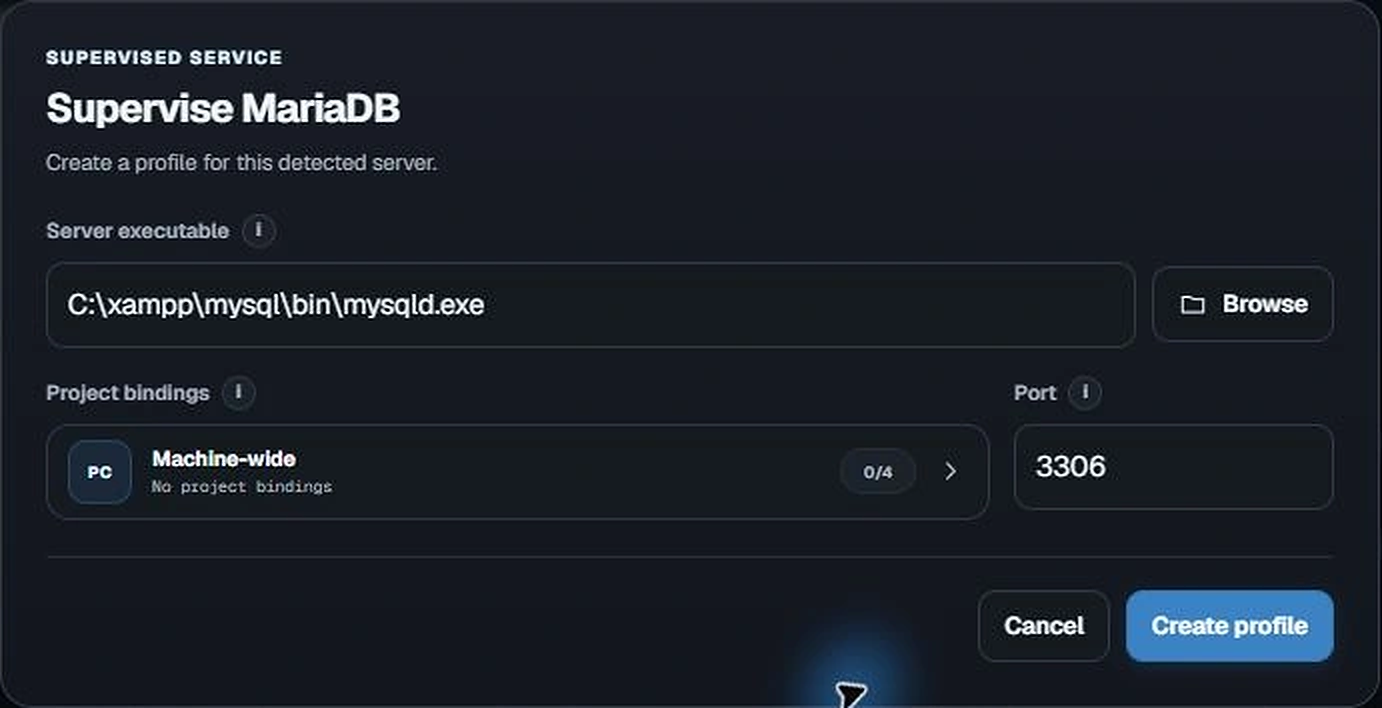
Important: Machine-wide means the profile is not limited to one project. It does not automatically start the server for every project.
Start and manage services
Once a managed profile exists, use the available Start, Stop, Restart and Log actions. Services may be shared by more than one Laravel project, so stopping one can affect other projects.
Safe changes
Check that the executable, data directory and port match the installation you intend to manage. Creating a profile does not move an existing installation. Avoid editing or removing a running database's data files by hand.
Check a local project's environment
The Project Environment section on Services helps you compare a project's requirements with the PHP, Node.js, and supported services available on your own computer. This is separate from the Environments sidebar page, which is for connecting to remote servers.
- In Services, find your project under Project Environment.
- Choose Plan or Check Environment to open a read-only review.
- Read Environment checks and Changes to apply. Confirm that the executable paths belong to the intended project.
- Choose Apply detected environment only if the proposed bindings are correct. If no changes are proposed, close the review.
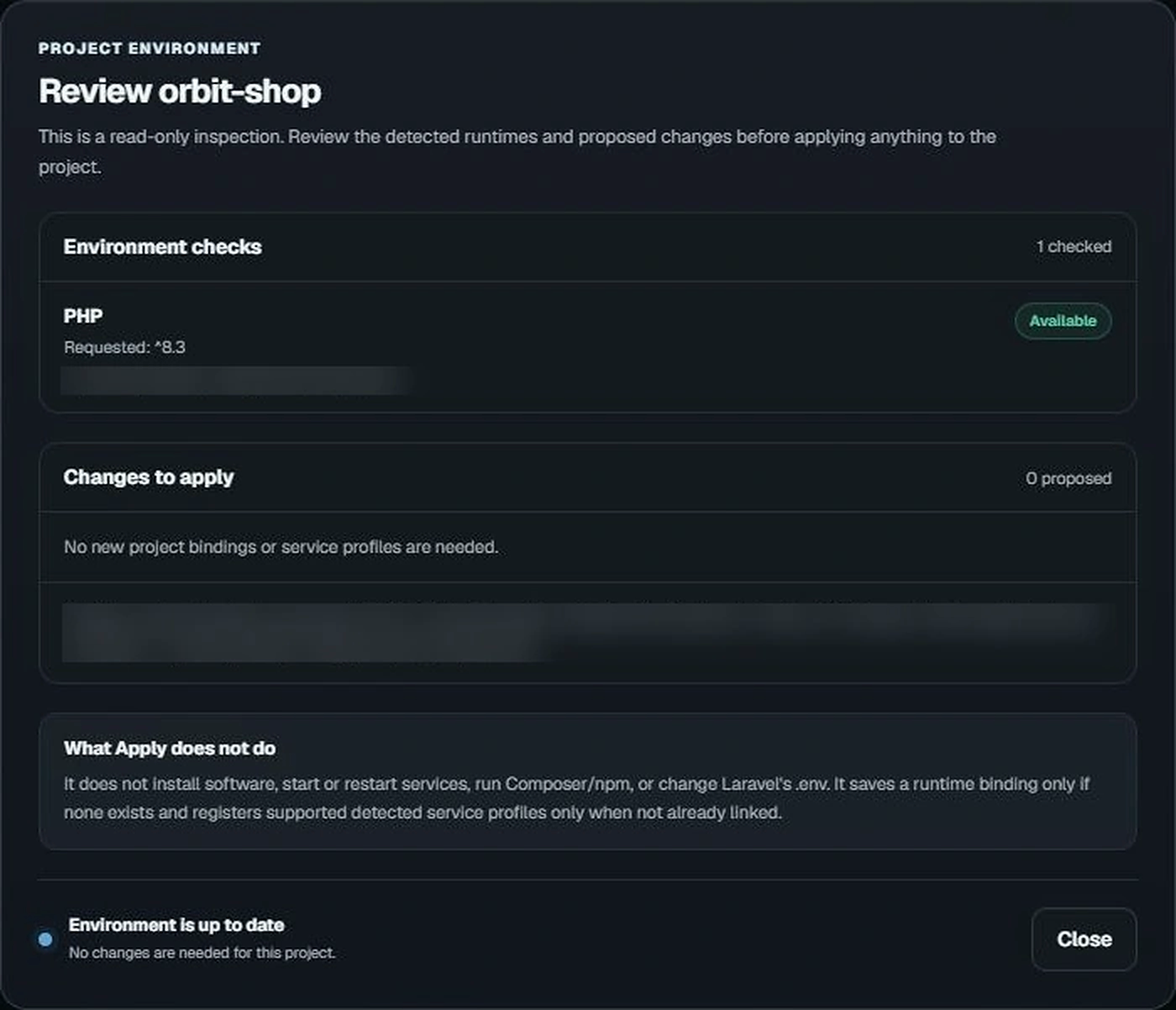
Applying detected settings does not install software, start services, run Composer/npm, or rewrite Laravel's .env file. Existing runtime bindings are intended to be preserved.
To connect to a deployed Linux server instead, see Remote environments.