
Bootstrap a project
Install optional dependencies and finish setup.
Bootstrap Project prepares an existing Laravel project for the tasks you want to run. It is especially useful after Quick Create or after cloning a repository.
Open Bootstrap Project
Select the project in Sites and open Bootstrap Project from its available actions. The dialog contains optional actions you can turn on or off.
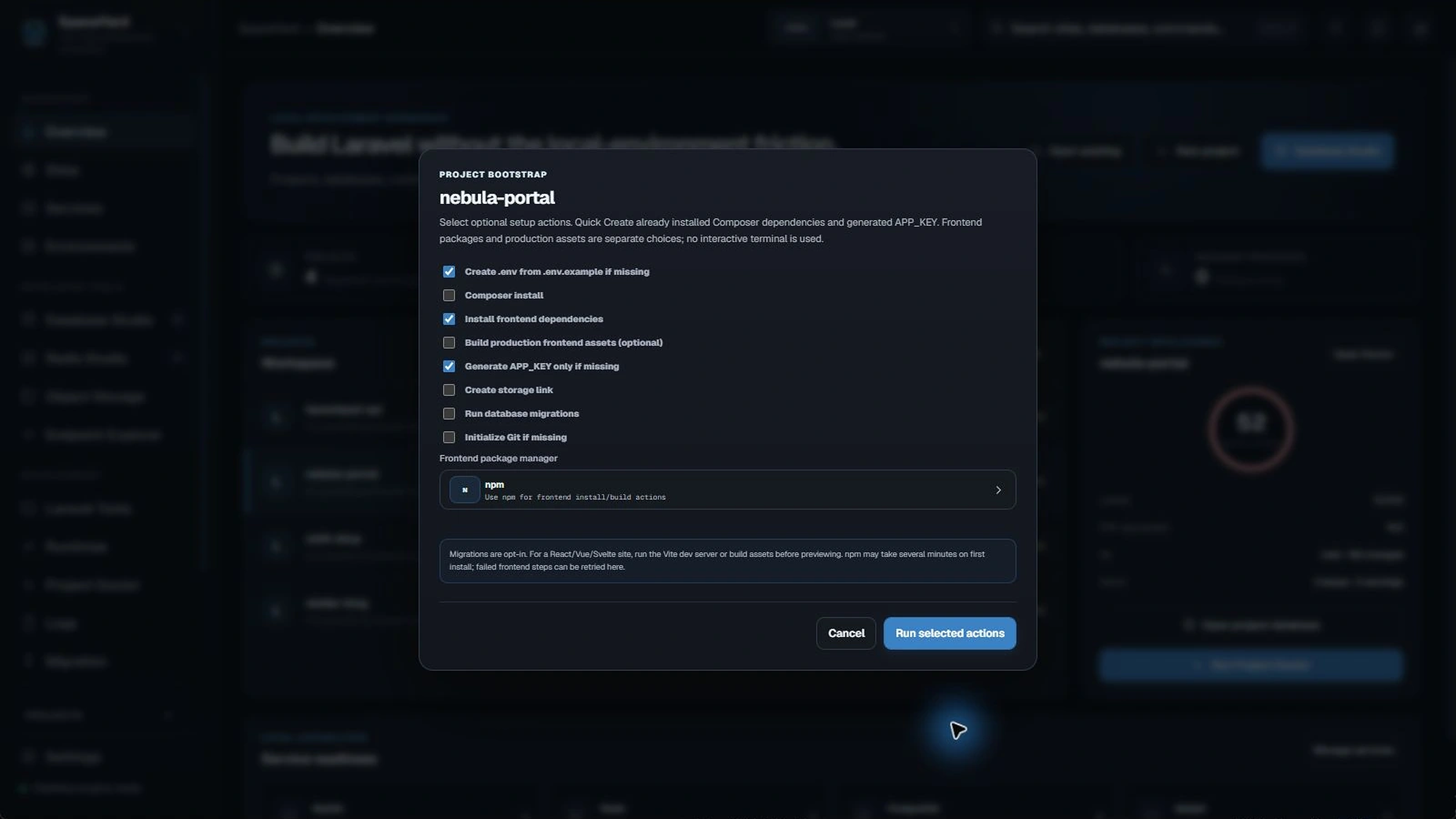
Pick only the tasks you need
- Create
.envif missing: copies the example environment file when appropriate. - Composer install: installs PHP dependencies; usually already done by Quick Create.
- Install frontend dependencies: runs the selected package manager.
- Build production frontend assets: optional; separate from package installation.
- Generate APP_KEY if missing: prepares the Laravel app key without replacing one already set.
- Create storage link: links public storage where the project supports it.
- Run migrations: changes the configured database. Leave this off until you have checked the connection.
- Initialize Git if missing: starts a repository when requested.
Run setup safely
- Review the selected tasks before continuing.
- Check the frontend package manager if the project uses Vite.
- Keep Run migrations unselected unless you understand which database it targets.
- Select Run selected actions and wait for completion.
- If a task fails, reopen Bootstrap and retry only what is needed.
Note: SpaceYard runs these tasks non-interactively. A package download can take several minutes even when little output is visible. Do not start a second install in the same project directory while one is running.
When do I need a production build?
During development, Vite can serve assets with its development server. A production asset build is useful when you want compiled files instead. Neither option is necessary for a Laravel project that does not use a frontend bundler.