
PHP & Node runtimes
Find and select the right runtimes for a project.
SpaceYard discovers installed development tools and lets you associate the right runtime with a project.
What is a runtime?
- PHP runs Laravel and Artisan commands.
- Composer installs the project's PHP packages.
- Node.js runs JavaScript tooling, including Vite when needed.
A project can require a newer PHP version than another project on the same computer. Choosing the correct executable matters.
Inspect your runtimes
Open Runtimes to see available installations. Where supported, you can choose a project-specific runtime instead of relying only on the operating system's default.
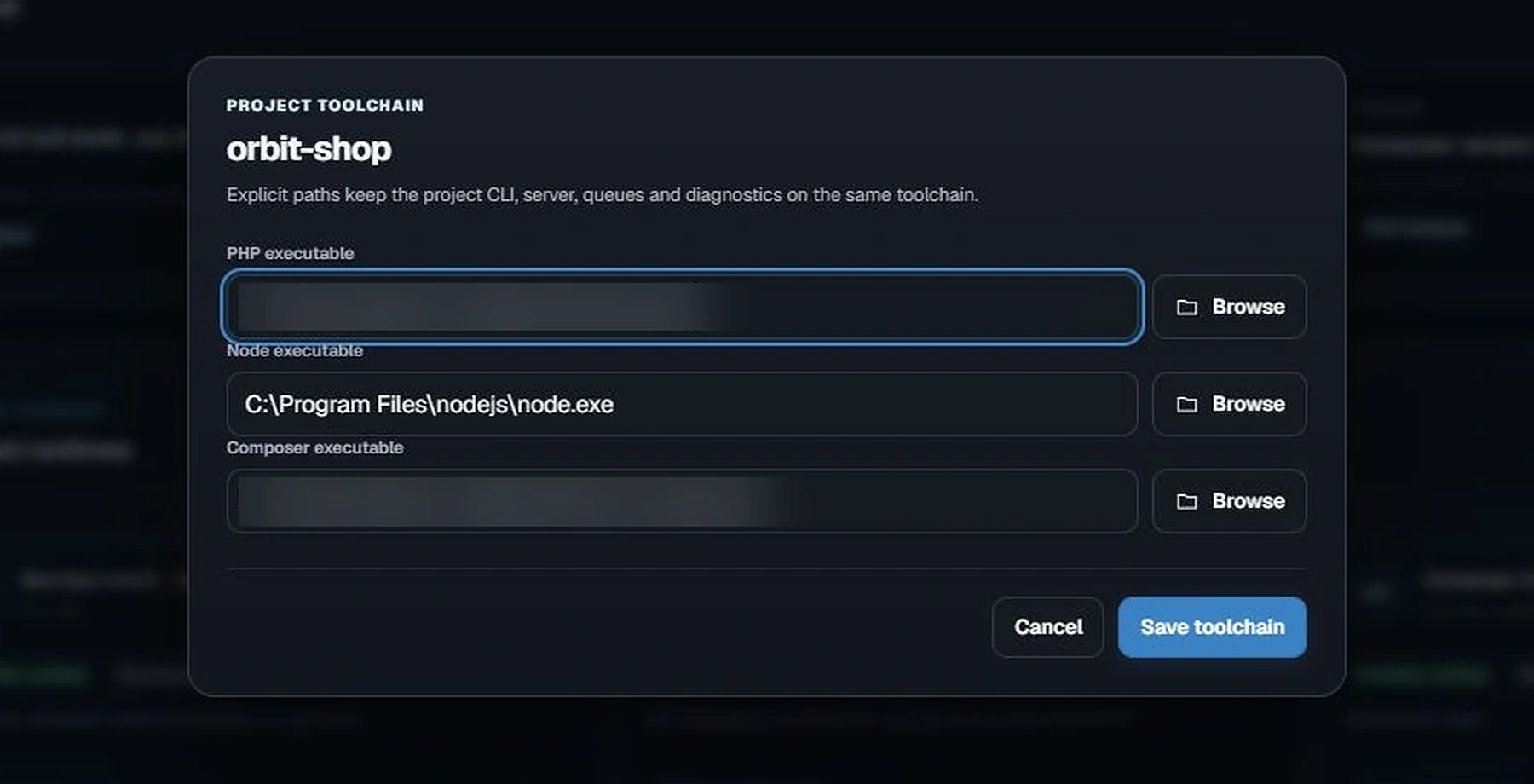
With a project selected, find Selected project and choose Configure toolchain. The Project toolchain dialog has PHP executable, Node executable, and Composer executable fields. Use Browse beside a field to choose an installed executable, then Save toolchain when you intend to apply the selection. Personal executable paths are hidden in the screenshot below.
Check a project's environment
Go to Services, find Project Environment, and use Plan or Check Environment to review what SpaceYard detected. The review shows available tools and proposed changes. Apply detected environment only after reading the confirmation.
An Available or Ready label means SpaceYard found the tool; it does not guarantee every package in your application supports that exact version.
Best practices
- Confirm PHP compatibility with your project's
composer.json. - Use a Node version compatible with the frontend packages in
package.json. - Avoid changing an existing project's runtime while its backend is running.
- Recheck the project after changing the runtime or installed extensions.