
Endpoint Explorer
Discover API routes and create test requests.
Endpoint Explorer helps you discover Laravel routes and send test HTTP requests from SpaceYard.
Find endpoints
- Open Endpoint Explorer for a registered project.
- Use Scan endpoints to refresh the Laravel route list.
- Review the discovered HTTP methods and paths.
- Create a collection if you want to organize related requests.
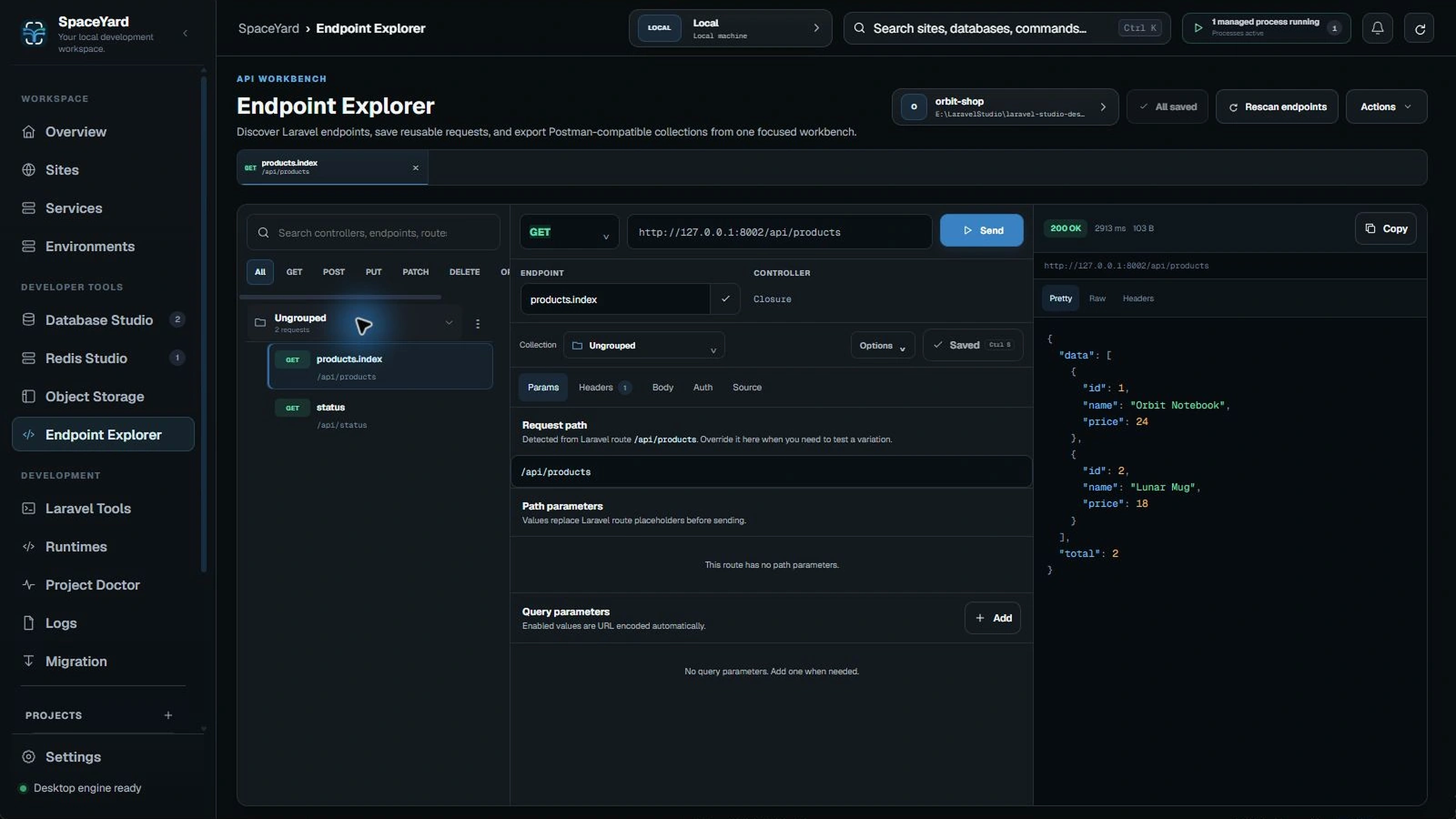
Create a request
Use New endpoint to create a saved request. Choose the method and URL, configure the request as needed, then send it and inspect the response.
Collections can help group similar requests. Save All keeps your changes; Scan endpoints is a separate action and does not replace saved requests.
Working with authentication
Depending on the API, you might need headers, cookies or an authorization token. Use only test credentials in development. Never paste production tokens into documentation screenshots.
Best practices
- Start with a harmless GET request.
- Confirm the base URL before sending a write request.
- Test POST, PUT, PATCH and DELETE against development data.
- Keep requests grouped by feature or API area.
Important: Route discovery reflects Laravel's registered routes, but it cannot guarantee an endpoint is working or that the server is running. Check its HTTP response and application logs.